
Fastvue AI
AI risk assessment for online activity
Fastvue AI reviews concerning online activity in context, reduces likely false positives and surfaces genuine concerns, so online safety teams can focus on what needs attention.
SEE THE LIKELY RISK
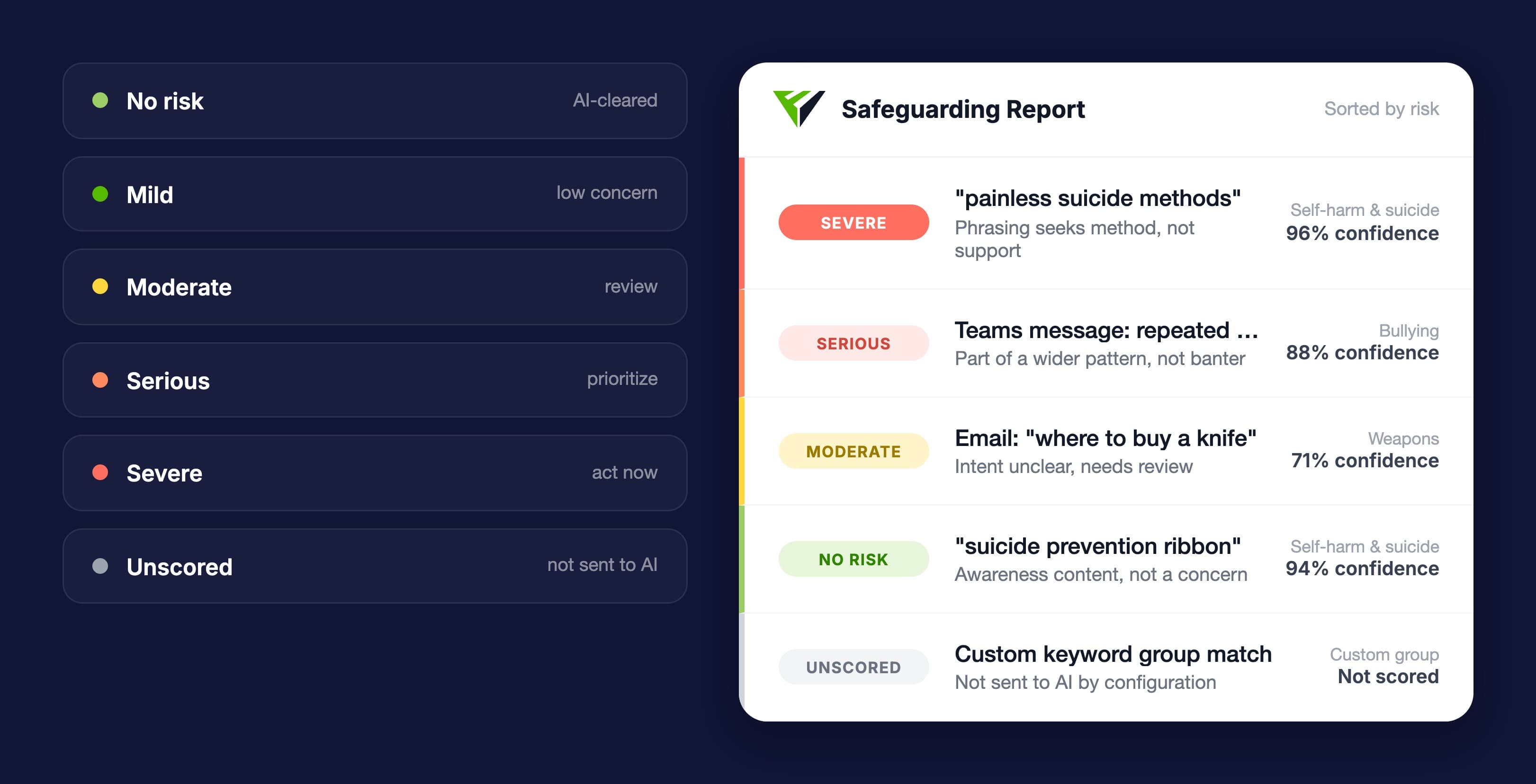
Prioritize what needs human review
Fastvue AI is a risk assessment feature for Fastvue Reporter that analyzes concerning student web, email and chat activity in context and helps teams prioritize incidents for human review and handoff.
Each assessment includes the reason, confidence level and safeguarding category.
Beyond the Keyword
More context. More accurate safeguarding decisions.
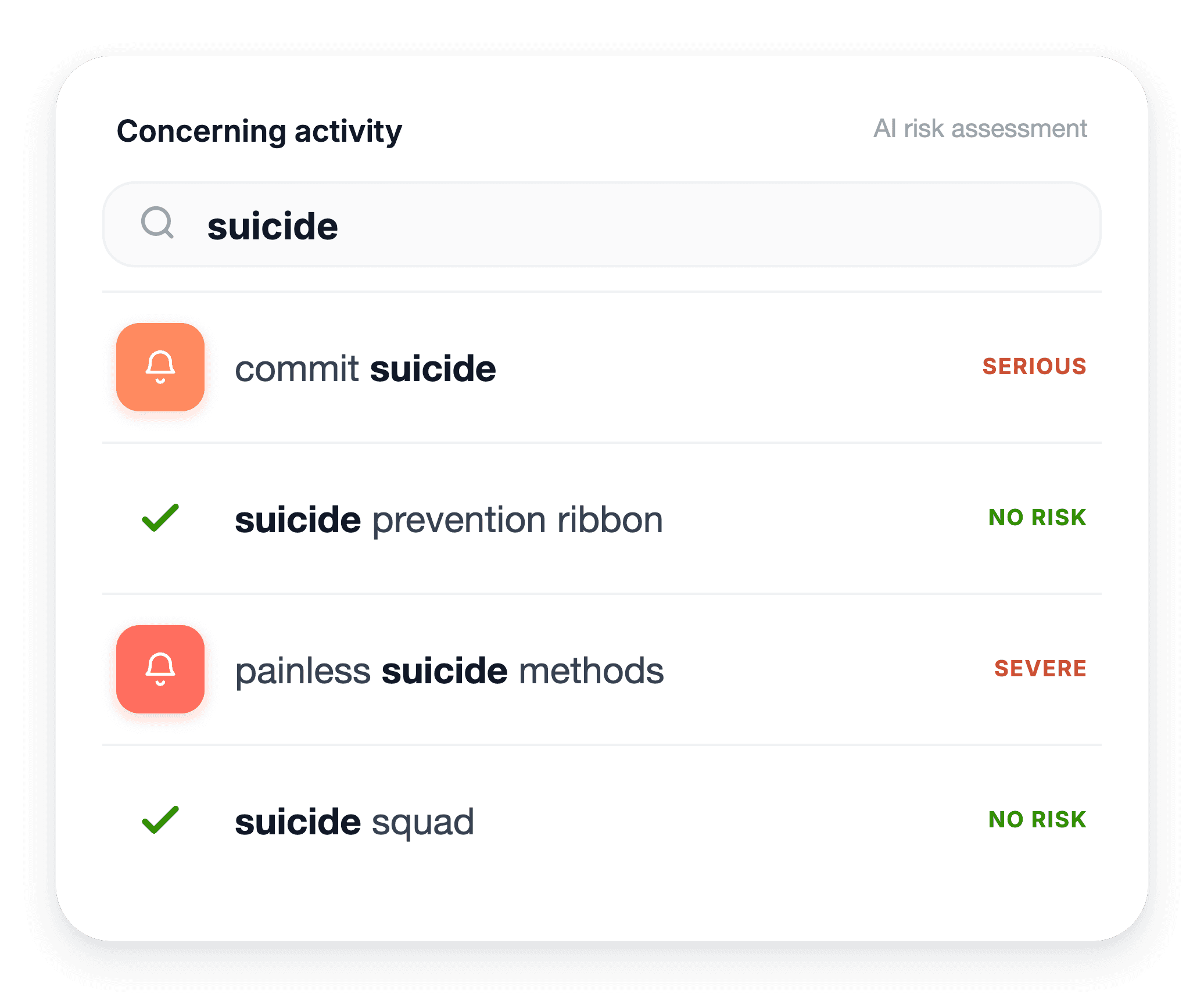
A keyword can show what was searched or said. It cannot always show intent.
Fastvue AI assesses activity in context to help distinguish lower-risk matches from behaviour that may warrant closer human review, saving time and helping wellbeing teams focus attention where it is most needed.

Cut through alert noise
Improve safeguarding accuracy
Review serious concerns sooner
Send alerts based on AI assessed risk
HOW IT WORKS
Less time sorting. More time responding.
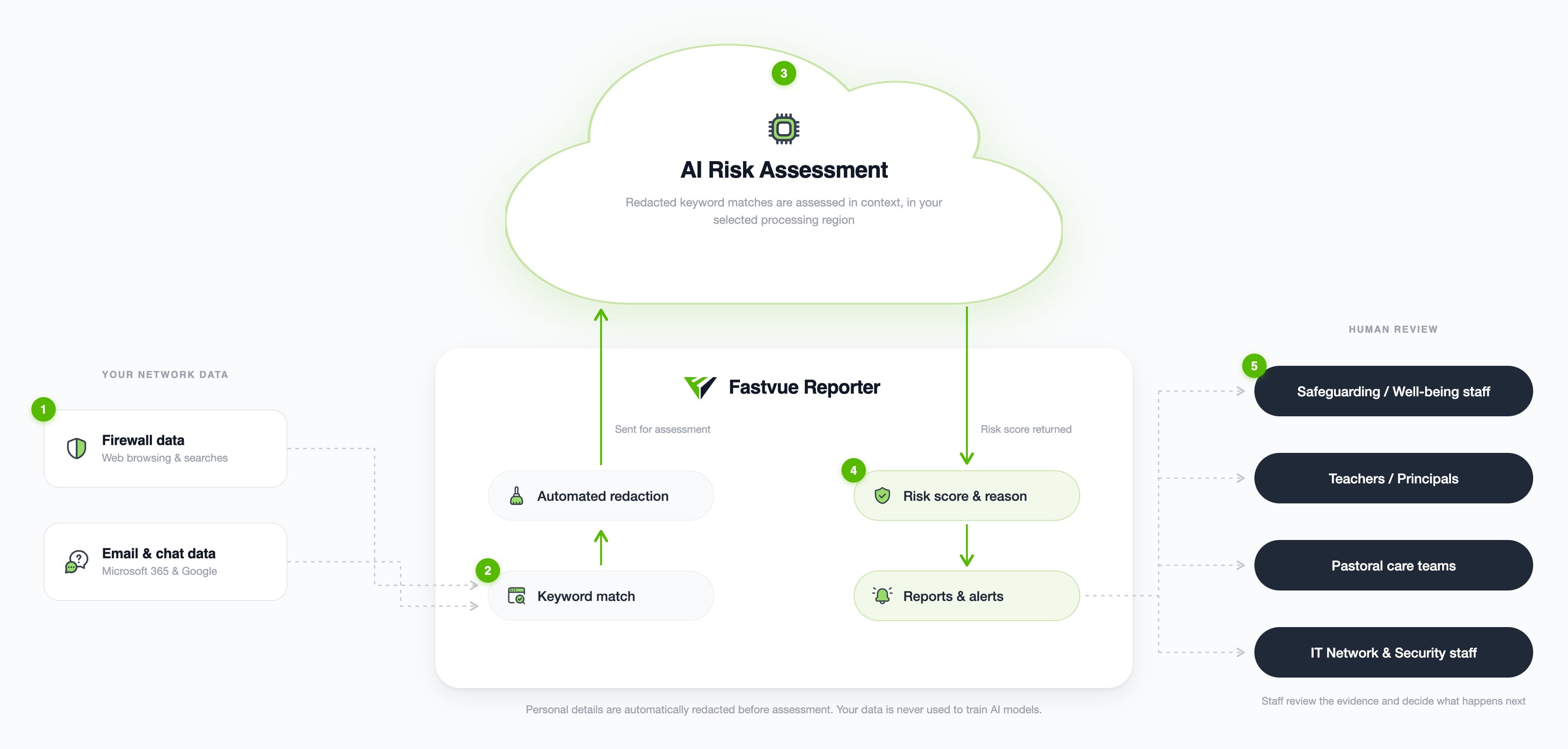
Fastvue AI assesses selected keyword matches from firewall, email, and chat data, prioritizing higher-risk activity for staff review.
Don't take our word for it. Try for yourself.
Download Fastvue Reporter and try it free for 14 days, or schedule a demo and we'll show you how it works.
Frequently asked questions
No. Fastvue AI only assesses activity that has matched a selected safeguarding keyword. Activity outside those enabled keyword groups is not sent for AI assessment.
Fastvue AI receives only the context needed to assess selected keyword matches, such as a search phrase and domain, relevant email content, a short chat snippet, or a video title and channel.
Common personal identifiers are automatically redacted before assessment. Fastvue AI does not receive usernames, IP addresses, unrelated fields, excluded terms, or activity that has not matched a selected safeguarding keyword
Read the full Fastvue AI data privacy and terms
Yes. Administrators choose which keyword groups and activity fields can be assessed. Specific terms can also be excluded, and custom keyword groups are not enabled for AI assessment by default.
No. Fastvue AI helps staff assess and prioritize activity. The school reviews the evidence and decides what action, if any, should follow.
Yes. Fastvue Alerts can use the AI assessment to trigger alert notifications based on criteria such as safeguarding concern, risk level, category, confidence, activity type, user or group
Fastvue AI can be enabled in minutes. Simply turn on the feature, choose your processing region and select which safeguarding keyword groups and activity fields should be assessed.
Fastvue AI is an optional feature. Contact Fastvue Sales for pricing.